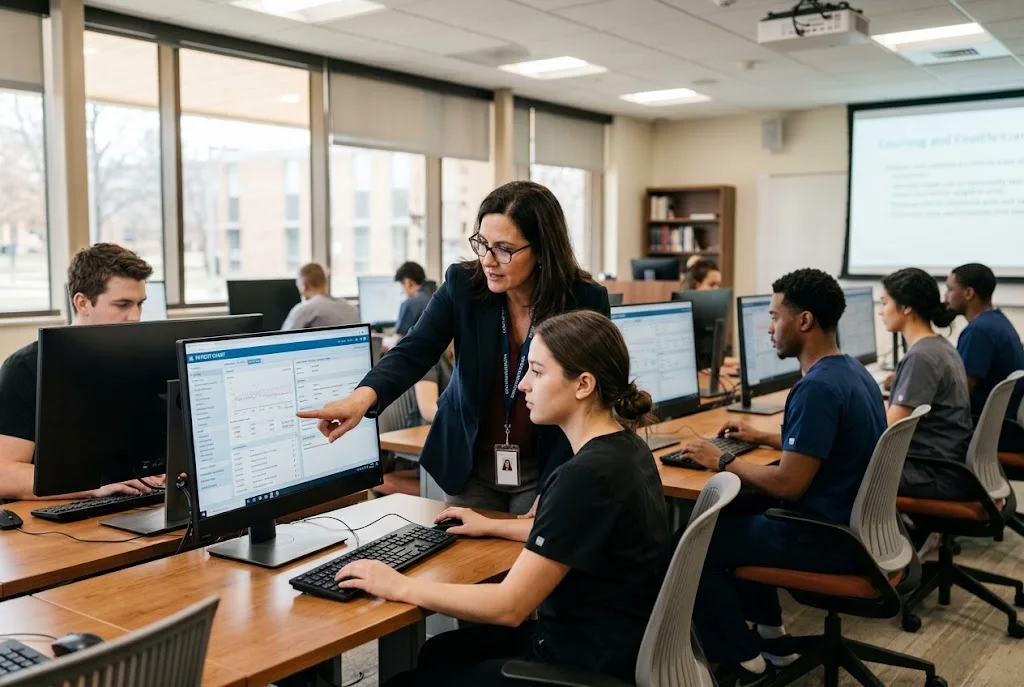
Healthcare education is becoming increasingly dependent on digital tools. Nursing students, medical assistant students, EMT learners, and other healthcare trainees need more than classroom theory to prepare for real clinical environments. They also need opportunities to practice documentation, review patient records, and understand how electronic health records work.
An Educational EHR can provide that practice in a controlled environment without exposing students to real patient information. But with different platforms offering different features, choosing the right solution can be challenging.
For schools and healthcare education programs evaluating an EHR for teaching, the decision should go beyond price or the appearance of the software. The platform should support the curriculum, provide realistic learning experiences, and be practical for instructors and students.
What Is an Educational EHR?
An Educational EHR is a simulated electronic health record system designed specifically for learning rather than real-world patient care.
Instead of working with actual patient information, students interact with simulated records and healthcare scenarios. This gives them an opportunity to learn documentation workflows and practice navigating digital patient information before encountering production systems during clinical placements.
An academic EHR can be particularly useful for nursing, medical assisting, allied health, EMT, and other healthcare programs where students will eventually need to work with electronic records.
The goal is not simply to teach students how to click through software. It is to help them understand how documentation fits into patient care, clinical reasoning, communication, and professional responsibilities.
Why Healthcare Programs Need EHR Practice
Students may spend significant time learning clinical concepts, practicing physical skills, and participating in simulations. However, documentation is another important part of modern healthcare work.
A student may know how to perform an assessment but still struggle with questions such as:
- Where should information be documented?
- How should patient findings be recorded?
- What information belongs in a particular section?
- How should medication administration be documented?
- How can a patient’s history be reviewed efficiently?
- How should documentation support communication between healthcare professionals?
A simulated environment allows educators to introduce these questions before students have to work with a real clinical system.
This can make EHR practice a useful complement to simulation labs, classroom assignments, case studies, and clinical preparation.
1. Start With Your Program’s Learning Objectives
Before comparing platforms, identify what you actually want students to learn.
A nursing program may need students to practice patient documentation, medication-related workflows, vital signs, clinical judgment, and chart review. A medical assistant program may have different priorities, while an EMT program may require another set of scenarios.
The right platform should support those objectives.
Ask:
- What healthcare programs will use the system?
- Which documentation skills should students develop?
- Will the platform be used in simulation labs?
- Will students complete assignments outside class?
- Do instructors need grading or feedback tools?
- Will multiple courses use the same system?
Starting with educational goals makes it easier to eliminate platforms that look impressive but do not actually fit your curriculum.
2. Look for Realistic Patient Scenarios
An effective academic EHR should give students something meaningful to work with.
Instead of presenting an empty interface, the platform should allow learners to interact with realistic patient information and scenarios relevant to their studies.
For example, students might review:
- Patient histories
- Vital signs
- Medication information
- Clinical notes
- Allergies
- Orders
- Assessment information
- Case-study details
Realistic scenarios can help students understand how information connects across a patient record.
The objective is to create a learning environment that resembles the structure of healthcare documentation without exposing students to actual patient data.
3. Evaluate Documentation Features
Documentation practice is one of the main reasons an education program may adopt an EHR simulator.
Look at what students can actually document and whether instructors can create assignments around those workflows.
Useful capabilities may include patient notes, assessments, medication documentation, vital signs, care-related information, and other activities relevant to the curriculum.
The system should also be intuitive enough that students spend their time learning healthcare documentation rather than trying to figure out complicated software controls.
4. Consider Instructor Tools
An EHR platform should work for instructors as well as students.
Faculty may need to create assignments, establish patient scenarios, review student work, and provide feedback. If these processes are difficult, the platform can create additional administrative work.
Before selecting an academic EHR, ask:
- Can instructors create customized activities?
- Can they create or modify patient scenarios?
- Can student work be reviewed?
- Can instructors provide feedback?
- Can the platform support different courses?
- Can activities be adapted to specific learning objectives?
The easier it is for faculty to integrate the software into existing lessons, the more useful the platform is likely to become.
5. Check Whether It Supports Simulation
An EHR should not necessarily operate separately from simulation activities.
Consider how the platform could fit into an existing simulation workflow.
For example, students could participate in a simulated patient encounter and then document what happened in the electronic record. They could review a patient’s information before a simulation or analyze the record afterward.
This approach connects physical simulation with digital documentation.
It can also help educators identify gaps that may not become obvious during a traditional skills exercise.
6. Think About Different Healthcare Programs
A platform may be particularly valuable if it can support more than one healthcare discipline.
Many educational institutions operate multiple programs, including nursing, medical assisting, EMT, allied health, and other health science courses.
Rather than purchasing separate systems for every program, administrators can evaluate whether one educational EHR can support multiple learning environments.
This can simplify implementation and create a more consistent experience for students and faculty.
7. Evaluate Ease of Use
Complexity can quickly become a problem in an academic environment.
Students are already managing coursework, clinical preparation, assignments, and exams. Instructors also have limited time for technology training.
A browser-based and intuitive platform can reduce some of the friction associated with implementation.
During an evaluation, consider:
- How quickly can students learn the interface?
- Is navigation straightforward?
- Can instructors create activities without extensive technical knowledge?
- Does the system work across common devices?
- Is training or onboarding available?
A feature-rich platform is not necessarily the best option if those features make everyday use unnecessarily complicated.
8. Consider Pricing and Total Value
Cost is obviously important for educational institutions, but price should be evaluated alongside functionality.
A low-cost system may not provide the features your program needs. Conversely, an expensive platform may include capabilities that are unnecessary for your curriculum.
When comparing an Educational EHR, look beyond the initial price and consider the complete value.
Questions worth asking include:
- Is pricing based on students, courses, or programs?
- Are instructor accounts included?
- Are implementation costs separate?
- Are there additional fees for support?
- Are upgrades included?
- Can multiple courses use the same platform?
- What features are available at the advertised price?
A transparent pricing model makes it easier for administrators to plan long-term costs.
9. Look at Integration Options
Technology becomes more useful when it fits naturally into the systems an institution already uses.
If your school uses a learning management system, ask whether the EHR platform can integrate with it or support workflows that make moving between systems easier.
LMS compatibility can be especially useful when instructors want students to complete EHR activities as part of an existing course.
The goal should be to make the EHR another useful component of the curriculum rather than creating an isolated technology requirement.
10. Consider Support and Scalability
An institution may begin with one course or a small group of students and eventually expand its use of the platform.
Before making a decision, consider how the system will perform if more students, instructors, or programs are added.
Also ask about customer support and implementation assistance.
Important questions include:
- How quickly can technical issues be resolved?
- Is onboarding available?
- Can instructors receive assistance when creating activities?
- Can the platform support larger student cohorts?
- How frequently is the software updated?
Reliable support can make a significant difference when technology becomes part of a core educational workflow.
ChartFlow as an Example
Programs evaluating an academic EHR can also examine platforms designed specifically around healthcare education rather than general clinical software.
For example, ChartFlow positions its platform as an educational EHR designed for healthcare education and simulation. Its resources include simulated patient records and learning activities intended to help students practice documentation and become familiar with EHR workflows.
The company also provides resources for nursing and other healthcare education programs, including EHR-based activities that can be used alongside classroom learning and simulation.
For students looking for additional learning opportunities, ChartFlow also offers a course catalog that includes free educational resources and simulated EHR practice.
Programs interested in exploring student-focused learning resources can visit the ChartFlow course catalog.
Don’t Choose Based on Features Alone
A long feature list does not automatically mean that a platform is the right choice.
The better question is whether the features support your educational objectives.
For example, a nursing program may place greater importance on documentation and patient scenarios than on features that have little relevance to its curriculum.
Likewise, an institution with several healthcare programs may prioritize flexibility and scalability.
The best platform is the one that fits the actual teaching environment.
Questions to Ask Before Choosing an Academic EHR
Before committing to a platform, administrators and educators can use this checklist:
- Does it support our healthcare programs?
- Can students practice realistic documentation?
- Does it use simulated rather than real patient information?
- Can instructors create customized activities?
- Can faculty review and provide feedback on student work?
- Does it support simulation-based learning?
- Is it easy for students to learn?
- Does it integrate with our existing technology?
- Is pricing transparent?
- Can the platform scale as our program grows?
- What support is available?
- Can students access learning activities outside the classroom?
Answering these questions can make the evaluation process much more structured.
Final Thoughts
Choosing an EHR for healthcare education is ultimately about finding the right balance between educational value, usability, flexibility, and cost.
A good Educational EHR should give students opportunities to practice documentation and patient-record workflows in a safe simulated environment while giving instructors practical tools for incorporating those activities into the curriculum.
Before choosing a platform, define your learning objectives, evaluate the available features, consider your instructors’ needs, and think about how the system will fit into your existing simulation and classroom activities.
Taking that approach can help healthcare education programs choose technology that supports students not only in learning how an EHR works, but also in developing the documentation habits they will need when they enter professional healthcare environments.